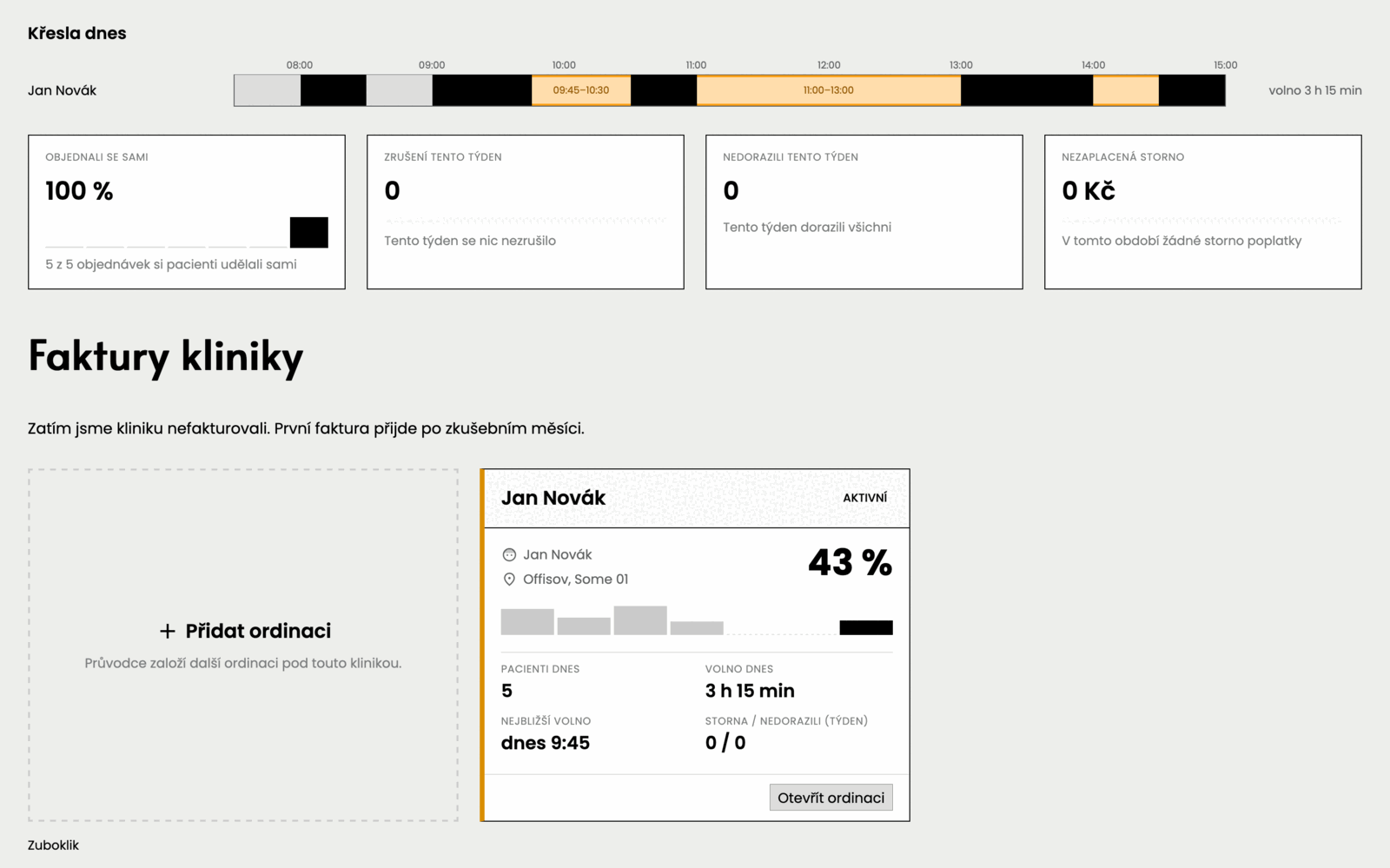
Every surgery in the clinic on one screen
Today: reports from the head nurseThe clinic owner asks the head nurse how the day is going. The answer comes in the afternoon, added up by hand from several calendars. By then it is too late to act on it.
How it works
- You open the clinic overview.
- You see the state in one sentence and below it today’s occupancy of every chair.
- Next to it sit the share of online bookings, cancellations, no-shows and unpaid fees. Open a surgery and under the Where the gaps are map you find the Occupancy trend card for a month, a quarter or half a year.
What you do
Nothing, the numbers work themselves out.
Common objections
- Does anything have to be filled in for this?
- No. It comes from the appointments the calendar holds anyway.
- Do the dentists see it too?
- The clinic overview and the per-surgery overview with the occupancy trend are for the clinic chief only. A dentist sees their own surgery.
- Does it update itself?
- Yes, the numbers change through the day with no action from you.